UART
Note
The following example uses the Raspberry Pi-compatible 40PIN pins and Qualcomm universal 40PIN pins of Rhino Pi X1. For their specific location distinction, refer to Hardware Information.
UART Overview UART (Universal Asynchronous Receiver/Transmitter) is a microchip with programmable functionality, used to control the interface between a computer and its connected serial devices.
Preparation
- One Rhino Pi X1 device
- One CH340 test board
- Three Dupont wires
- One Windows computer with a
serial port debugging toolinstalled
Connection
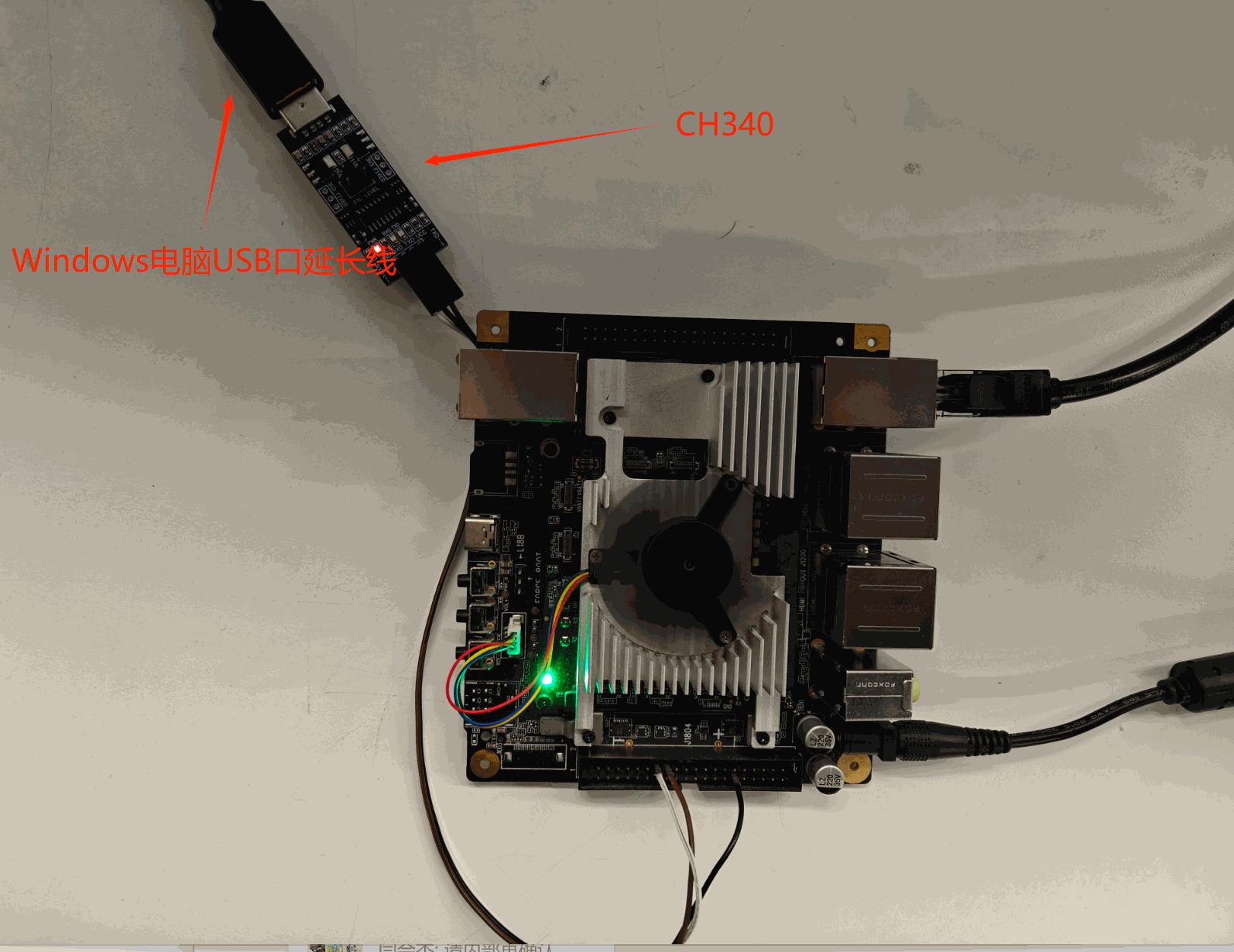
- Connect the USB port of the CH340 to a USB interface on the Windows computer.
- Connect the TTL interface of the CH340 to the Raspberry Pi-compatible interface of Rhino Pi X1 as follows:
| Rhino Pi X1 | <---> | CH340 |
|---|---|---|
| PIN_16 (RX) | <---> | TX |
| PIN_29 (TX) | <---> | RX |
| PIN_14 (GND) | <---> | GND |
Testing
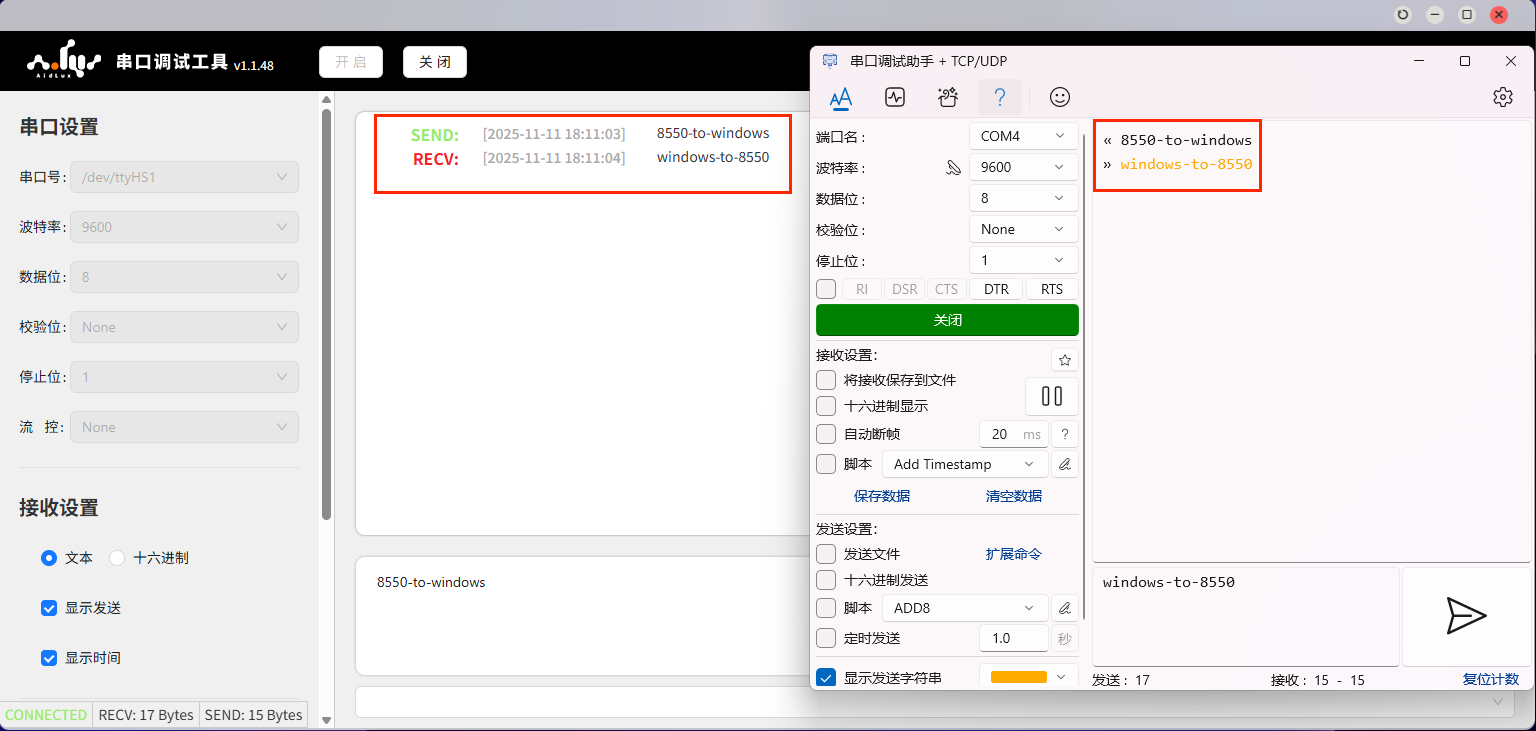
- Open the serial port debugging tool on the Windows computer, select the connected port, set the baud rate to 9600, and open the port.
- Go to the App Center on the Rhino Pi X1 Web desktop, download the UartCheck tool. After opening the tool, select the serial port number: /dev/ttyHS1, set the baud rate to 9600, and enable the serial port.
Note
To download the UartCheck tool, log in to the Rhino Pi X1 Web desktop.
- Send messages to each other and verify that both sides can receive the messages.
Expansion
Rhino Pi X1 is equipped with multiple groups of UART interfaces. The corresponding relationship between specific PIN numbers and device numbers is shown in the table below:
| PIN Number | <---> | Device Number |
|---|---|---|
| PIN_16 (RX) & PIN_29 (TX) (Raspberry Pi 40PIN side) | <---> | /dev/ttyHS1 |
| PIN_11 (RX) & PIN_13 (TX) (Universal 40PIN side) | <---> | /dev/ttyHS3 |