Rhino Pi A1 Mini
Product Overview
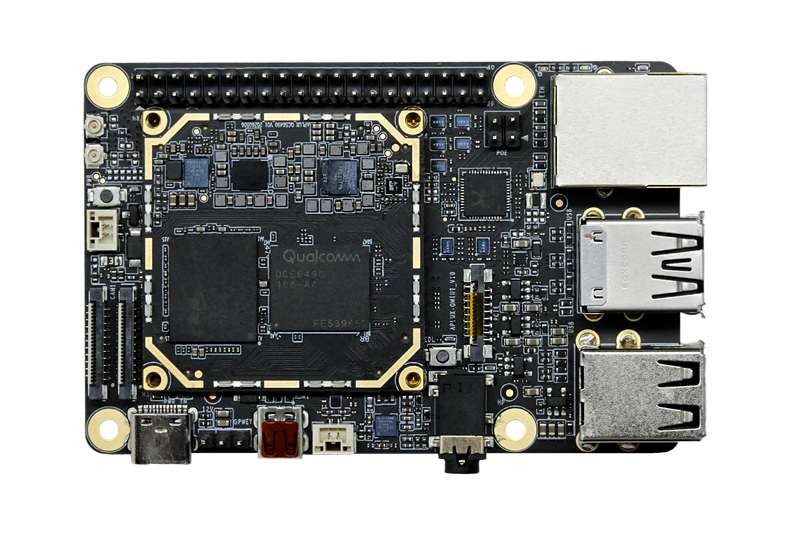
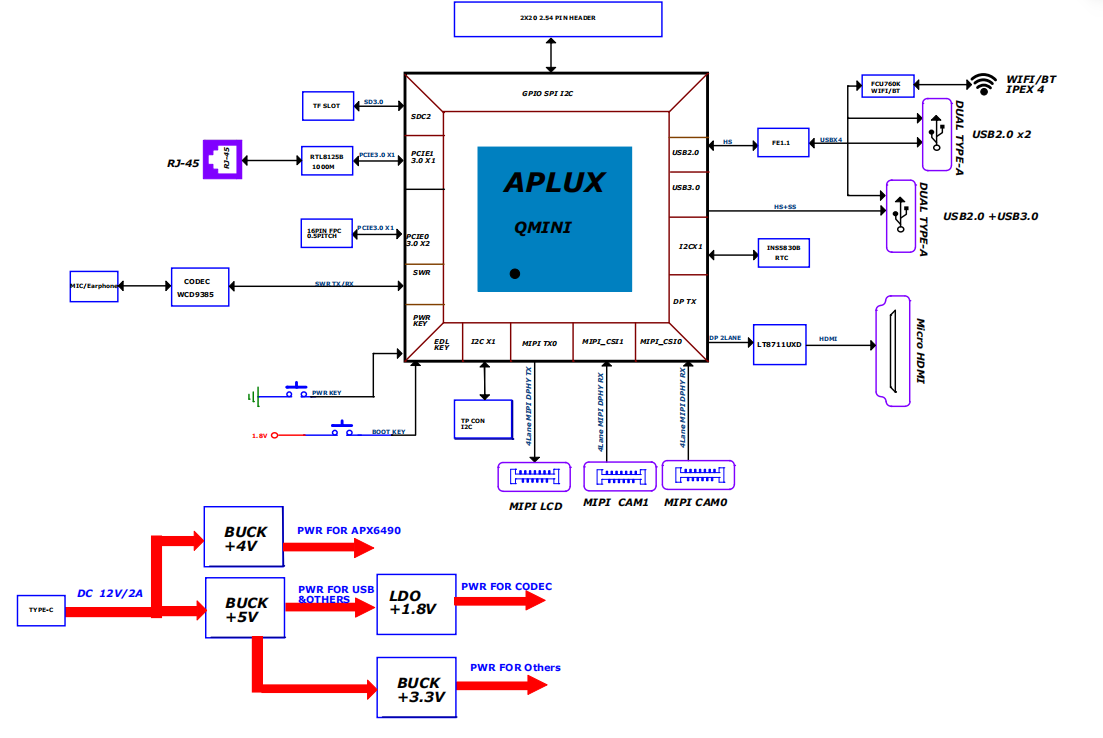
Rhino Pi A1 Mini is built around the Rhino Core Q64 smart module. The board provides rich data communication interfaces, including one 1G RJ45 Ethernet port (with HAT POE power support), an onboard WiFi module supporting WiFi 6 and BT 5.4, USB 3.0 Type-A and USB 2.0 Type-A ports, as well as MIPI DSI, MIPI CSI and HDMI display interfaces. It also supports multiple general-purpose buses such as SPI/I2C/UART/I2S/GPIO, and features an onboard PCIe interface for external PCIe devices, plus a Micro SD card slot for external storage expansion.
The board is manufactured with strictly selected components and a compact design with rich interfaces, making it easy to integrate into finished products while delivering a smooth experience and strong performance. It can be widely used in industries such as digital signage, touch interaction, consumer electronics and entertainment systems, as well as in robotics, industrial inspection and edge AI scenarios.
Operating System
Ubuntu 24.04 (native Linux) is provided by default, targeting edge AI, robotics and embedded development.
Rhino Core Q64 Smart Module
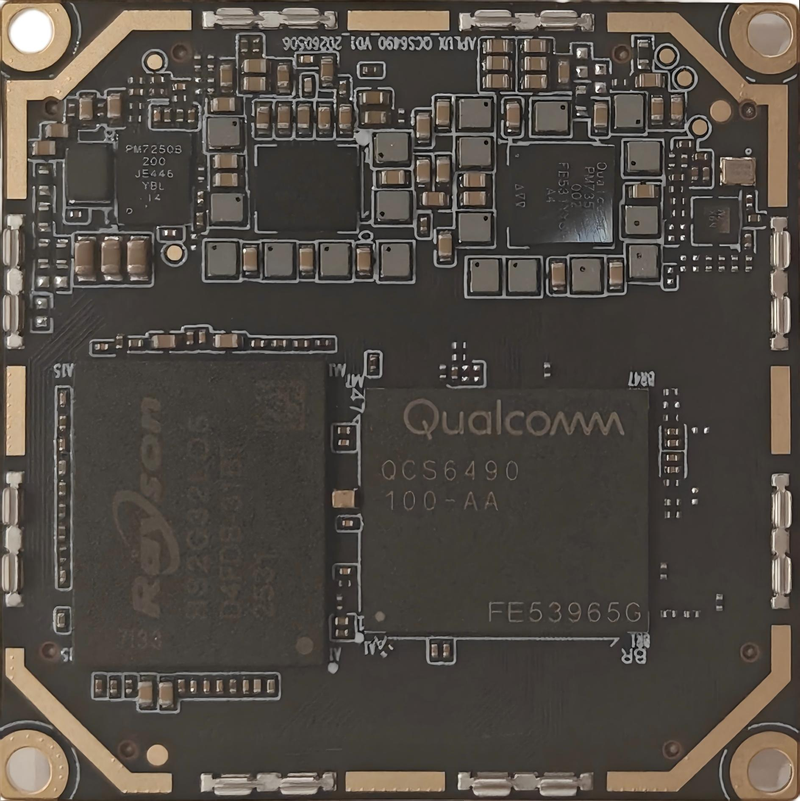
Front
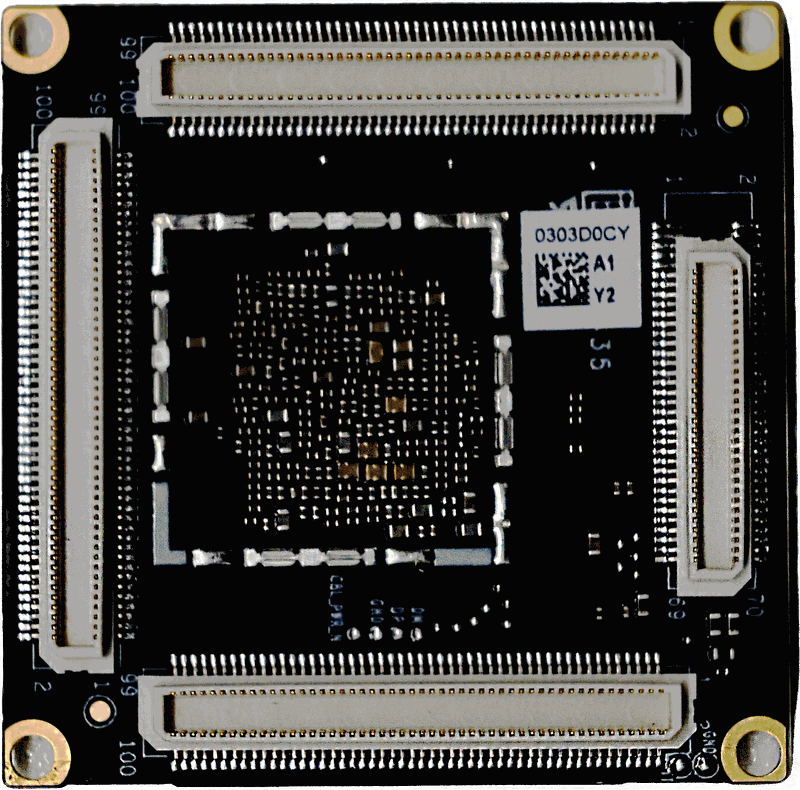
Back
Rhino Pi A1 Mini Board
System Block Diagram
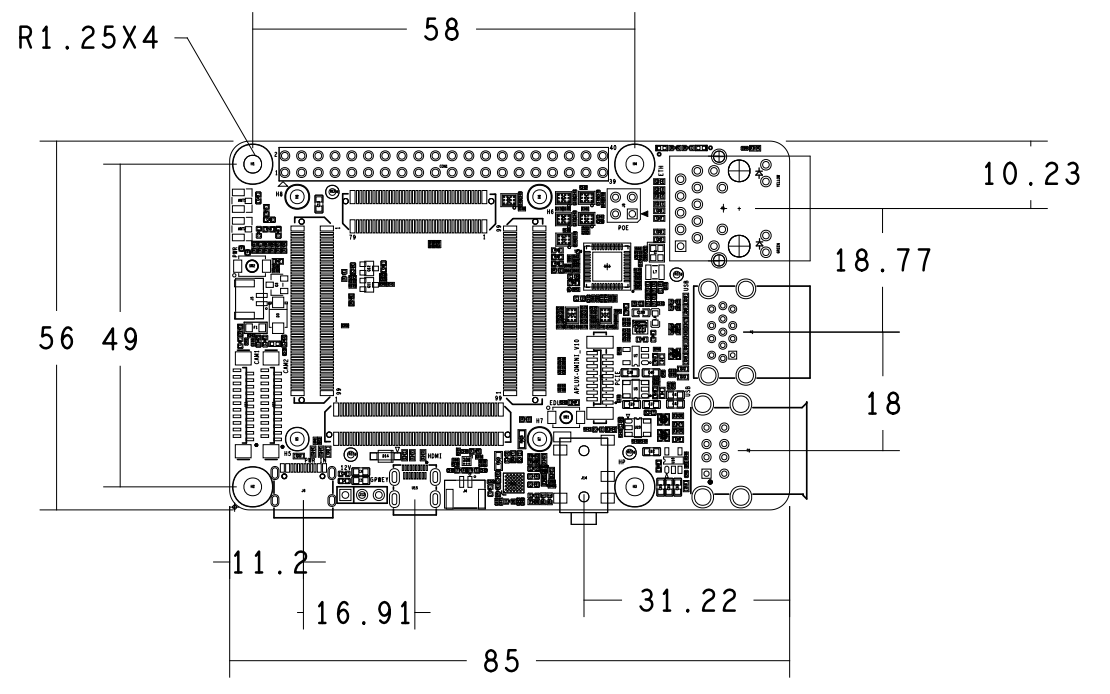
Physical Dimensions
Product Specifications
| Category | Specification |
|---|---|
| Core Board | Rhino Core Q64 Smart Module |
| TF Card | Plug-in TF card socket |
| USB | 4 × Type-A (USB 3.0 ×1 + USB 2.0 ×3) |
| Display | HDMI Type D connector; MIPI DSI display interface |
| Camera | 2 × FPC 22PIN MIPI CSI × 4lane interfaces |
| Ethernet | 1 × 1G Ethernet port with POE |
| Wireless | WiFi 6 & BT 5.4 |
| PCIe | 1 × PCIe FPC 16PIN connector |
| Expansion | 40pin Pitch 2.54mm dual-row header (I2C, I2S, SPI, UART, GPIO) |
| Buttons | Flashing key (RECOVERY) and power key |
| Power Input | 12V/2A, Type-C interface input (PD3.2 adapter supported) |
| Debug | External 3.3V serial debug support |
| Environment | Operating temperature -25°C ~ 50°C, humidity 0%~95% (non-condensing) |
| Dimensions | Length × Width (85mm × 56mm) |
| Operating System | Ubuntu 24.04 |
Quick Access
 Quick Start
Get to know the platform and get started
 System Usage
Network configuration and system usage
 Board Hardware & Interfaces
Onboard resources and interface definitions
 Application Development
AI SDK, model deployment and application development
 Resources
Images, tools and design resources download
Related Module DocsSpecifications, pins, power and carrier board design
FAQ & TroubleshootingCommon issues and solutions