CAN
CAN (Controller Area Network) is a multi-master, half-duplex, differential serial fieldbus developed by Robert Bosch in 1986 for automotive ECU communication and later standardized as ISO 11898. It focuses on highly reliable, real-time, interference-resistant short-distance communication between devices in embedded scenarios. It only defines the physical layer and data link layer, with no upper-layer network/transport layer, and extremely low protocol overhead.
Preparation
- A Rhino Pi-A1
- Several jumper wires
- A Windows computer
Connection
- Short-circuit can0 and can1 on the Rhino Pi-A1
- Connect CAN_H0 to CAN_H1
- Connect CAN_L0 to CAN_L1
| No. | Board Silkscreen | GPIO/System Mapping | Description |
|---|---|---|---|
| 21 | CAN_H0 | CAN_H1 | Actually corresponds to can1 |
| 22 | CAN_L0 | CAN_L1 | Actually corresponds to can1 |
| 23 | CAN_H1 | CAN_H0 | Actually corresponds to can0 |
| 24 | CAN_L1 | CAN_L0 | Actually corresponds to can0 |
Note
The can0 and can1 on the Rhino Pi-A1 board silkscreen do not correspond to the can0 and can1 listed in the system commands. Refer to the table above for the actual correspondence.
Testing
Open a Windows computer and enter the Rhino Pi-A1 device IP:8000 in the browser to access the device Web page. Username/password: aidlux/aidlux.
Execute the following commands to configure can0 and can1:
# Elevate privileges
sudo su

# can1 configuration
ip link set can1 down
ip link set can1 up type can bitrate 500000
ip link set can1 up

# can0 configuration
ip link set can0 down
ip link set can0 up type can bitrate 500000
ip link set can0 up

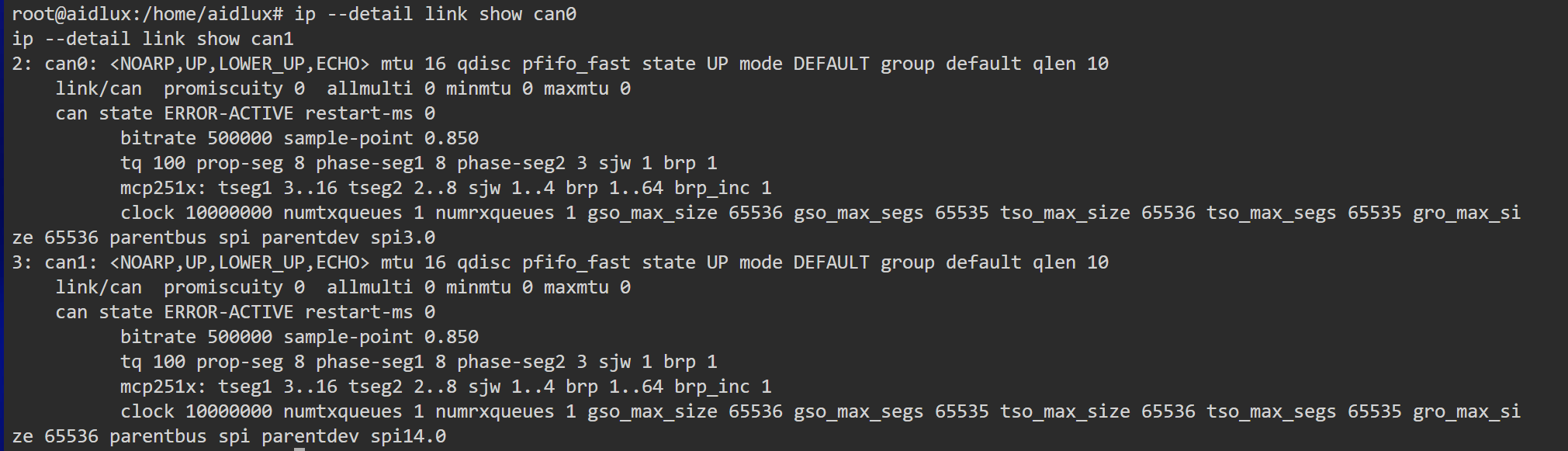
# Query configuration
ip --detail link show can0
ip --detail link show can1
You can see the following output:
- Execute the following command to install the cansend/candump tools:
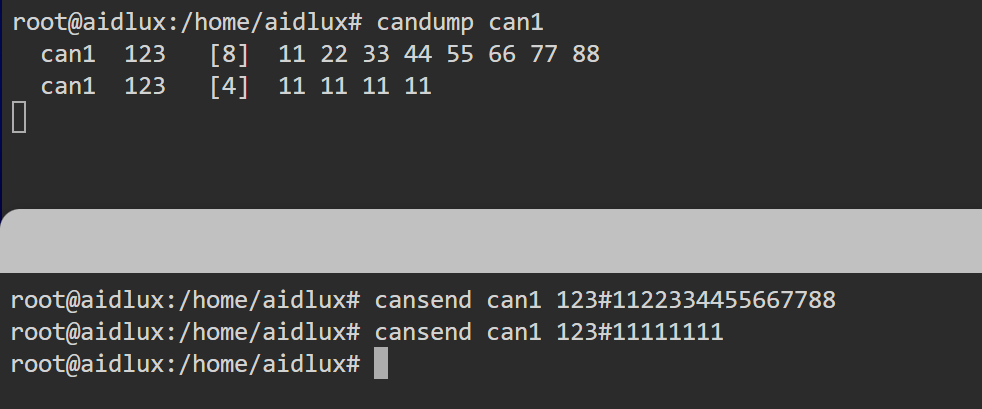
sudo apt install can-utils- On the Web page, open two terminals and execute the following commands:
# Terminal 1 - Listen to can1
candump can1
# Terminal 2 - Send data to can1
cansend can1 123#1122334455667788
cansend can1 123#11111111
You can see the following output: