Forced Download Mode (EDL)
The Rhino Pi-A1 provides 2 pin test points for entering EDL mode. EDL (Emergency Download Mode) is an emergency download mode for Qualcomm processor devices, mainly used for emergency recovery and firmware flashing.
Usage Guide
Short-circuit the FORCE_USB_BOOT and VREG_L15 pin test points with a jumper wire.
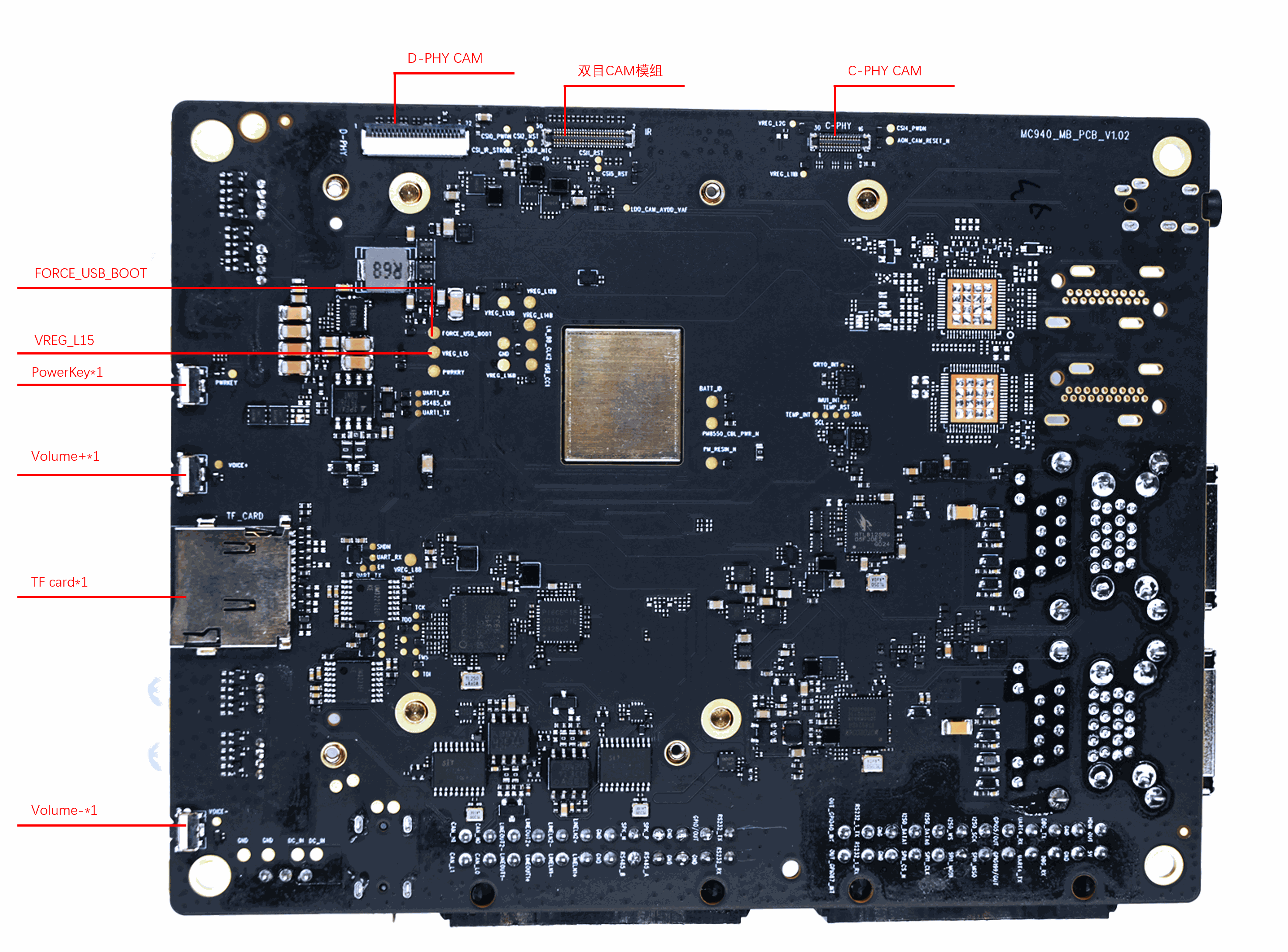
Connect the DC power supply.
Remove the jumper wire.
Under normal circumstances, the motherboard will enter EDL mode. You can then connect a TYPE-C cable for firmware flashing.