Temperature and Humidity Sensor
Sonbus SM7820B Temperature and Humidity Sensor
- Official kit documentation: Sonbus SM7820B
Preparation
- Rhino Pi-A1
- Sonbus SM7820B temperature and humidity sensor
- Several other connecting cables
- External 5V power supply
Hardware Connection
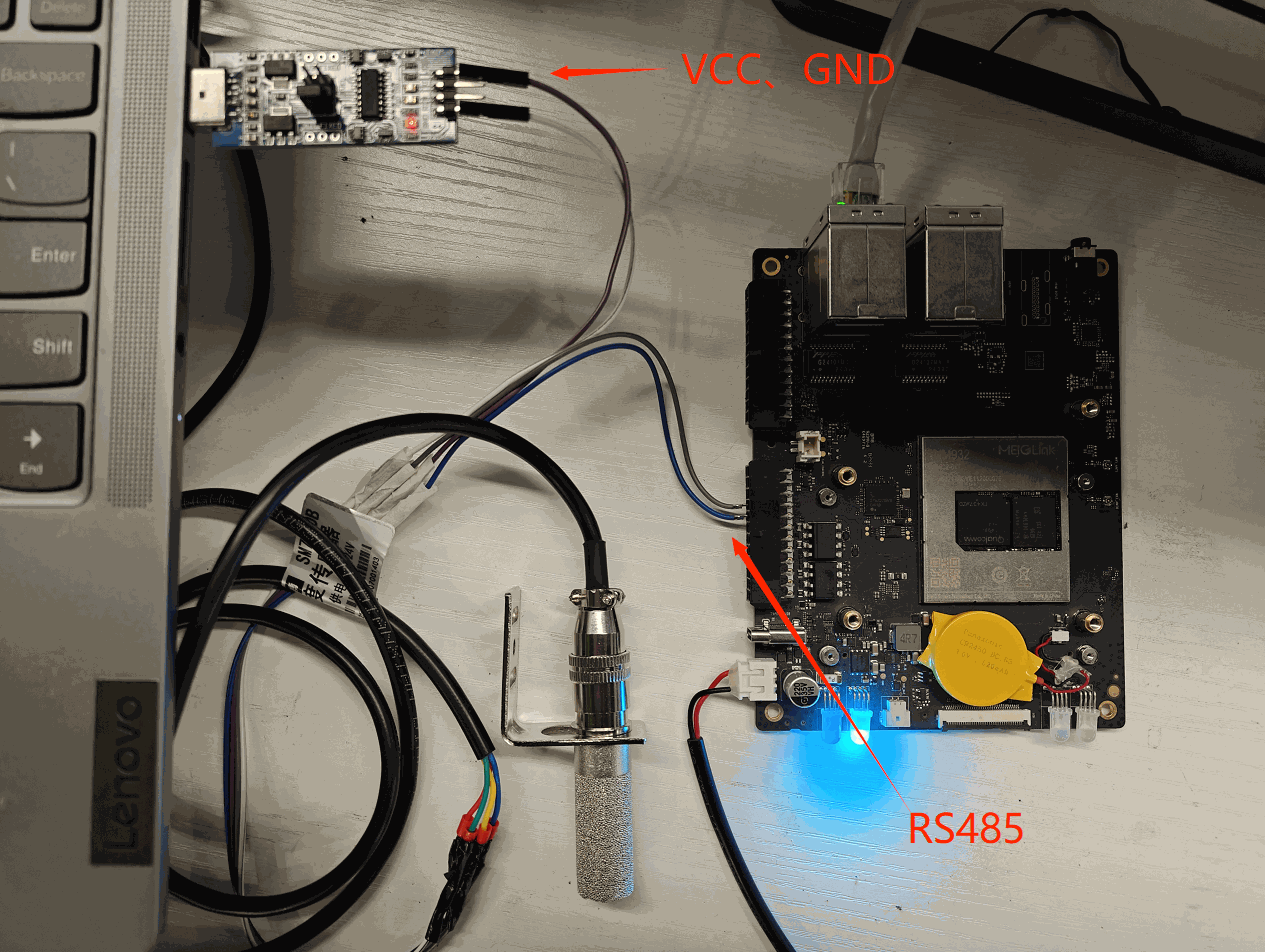
The sensor requires at least 5V power supply. However, since the 5V pin and GND pin of the Rhino Pi-A1 are still under debugging, this example supplies power to the sensor externally.
Connect the RS485A and RS485B of the temperature and humidity sensor to the RS485A and RS485B of the Rhino Pi-A1 for communication.
Testing
The Sonbus temperature and humidity sensor only returns a measurement result after a measurement command is manually sent. Each time a command is sent, one result is returned.
- Since the minicom test tool cannot send hexadecimal data to control the sensor measurement, you can write a script to convert the data and send it to the serial device for control. The script is as follows:
#!/bin/bash
# Check the number of arguments
if [ "$#" -ne 2 ]; then
    echo "Usage: $0 [serial device] [hex data]"
    exit 1
fi
# Serial device, e.g. /dev/ttyS2
SERIAL_PORT=$1

# Hex data, e.g. '1F2E3D4C'
HEX_DATA=$2

# Convert the hex data to a binary stream and send it to the serial device
printf "$HEX_DATA" | xxd -r -p > $SERIAL_PORT- Use the script to send the control command:
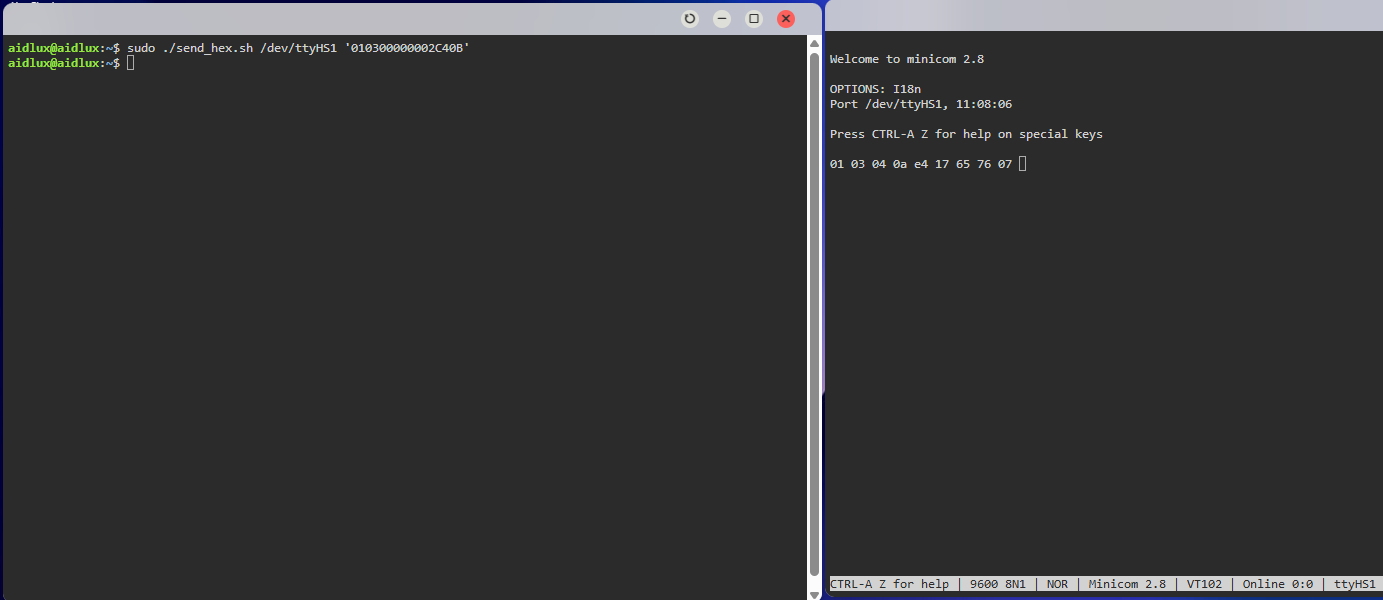
./send_hex.sh /dev/ttyHS1 '010300000002C40B'/dev/ttyHS1: the RS485 device of the Rhino Pi-A1010300000002C40B: reads the temperature and humidity measurement data. There are also other commands such as changing the baud rate. For details, please refer to the Sonbus product manual.
- Use the minicom tool in AidLux to receive data. (If not installed, install it via
sudo apt update; apt install minicom). Open minicom:
sudo minicom -D /dev/ttyHS1 -b 9600 -H/dev/ttyHS1: the RS485 device of the Rhino Pi-A1-b 9600: sets the baud rate to 9600 (the default baud rate of the sensor is 9600)-H: displays hexadecimal data
Result Analysis
After sending a query frame command to the temperature and humidity sensor, a response frame is returned: 01 03 04 0a e4 17 65 76 07
The response format is shown in the figure below:

Where data 1 is the temperature and data 2 is the humidity. Taking the temperature calculation according to the calculation method provided in the Sonbus SM7820B manual as an example:
Convert 0a e4 to decimal: 2788
The data multiplier is 100, so the actual temperature is 2788/100 = 27.88℃, i.e., the current indoor temperature is 27.88℃.