WIFI / BT Antenna Interface
- Wi-Fi: 802.11ax, 2.4G/5G bands, 2×2 MIMO
- Bluetooth: BT 5.2
Hardware Connection
Install the antennas to the antenna interfaces of the Rhino Pi-A1. When using WIFI/BT functions, you need to install two antennas to enhance the transmit power and receive sensitivity of WIFI/BT.
Note
You can refer to the Hardware Information tutorial to locate the corresponding hardware interface.
Recommended antenna: AIWF022 antenna
Using Bluetooth
For Bluetooth connection on the Rhino Pi-A1 integrated system, you only need to connect on the Android side. The connection method is as follows:
- Open the Android home screen, click and drag the left mouse button upward on the screen, and find the
Settingsoption on the page that appears.
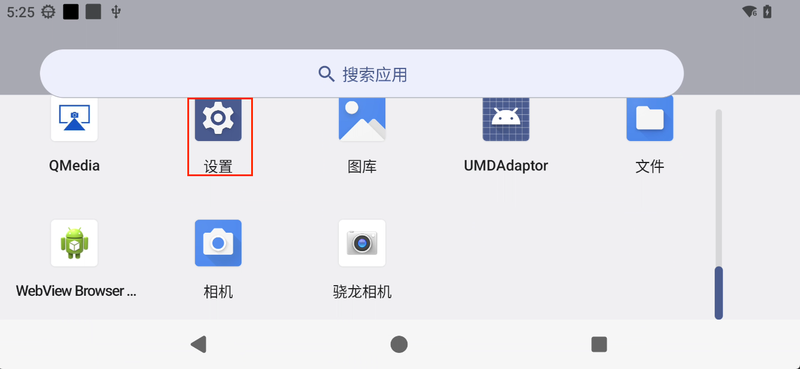
- Click
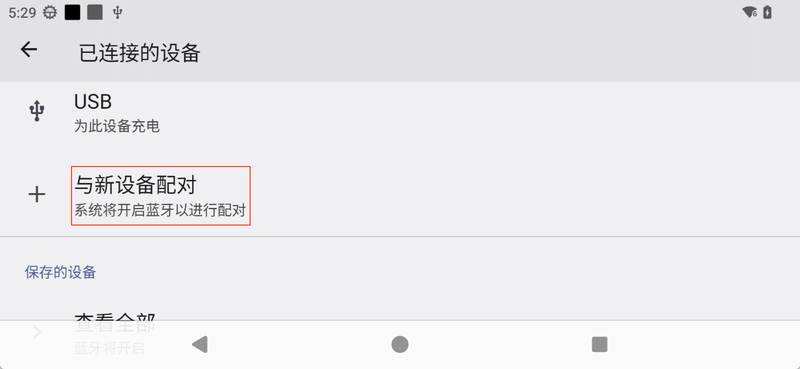
Settings-Connected devices-Pair new deviceto scan and connect Bluetooth devices.