AIMO One-Click Conversion
Introduction
AIMO One-Click Conversion lets you upload a PyTorch model and complete a few essential settings to convert it automatically. Combined with ModelFarm inference code, you can take a model from conversion to deployment out of the box.
Usage
The following example uses the YOLOv5s model with W8A8 precision.
Note: W8A8 means 8-bit weights plus 8-bit activations. In MMS this precision maps to
INT8(mms listlists only FP16 / INT8 / W8A16, with no separate W8A8 entry), so this document uses W8A8 (INT8) throughout.
Open the One-Click Conversion module
- You can sign in to your AIMO account: https://aimo.aidlux.com/#/login
- After signing in, click "One-Click Conversion" in the left task bar.
- Search for
YOLOv5sin the search box, then click the model to open the model conversion page. - The model to be converted is already in the platform model library (this example uses the built-in YOLOv5s, or you can upload your own
.ptmodel). - The Rhino Pi X1 board is powered on and on the same local network as the PC, and the board's port 8000 is reachable from a browser.
- The board can access the internet, and the
mmscommand works in the terminal.
Configure the required parameters
- Use the built-in
.ptmodel or upload your own fine-tuned model. - Check the conversion parameters: set the target device to
QCS8550, the quantization precision toW8A8 (INT8), and the version toQNN 2.40. - Enter a task description in the description field, for example
YOLOv5s_8550_w8a8. - Click Submit to start the conversion; you can click "Processing Log" to view the logs during conversion.
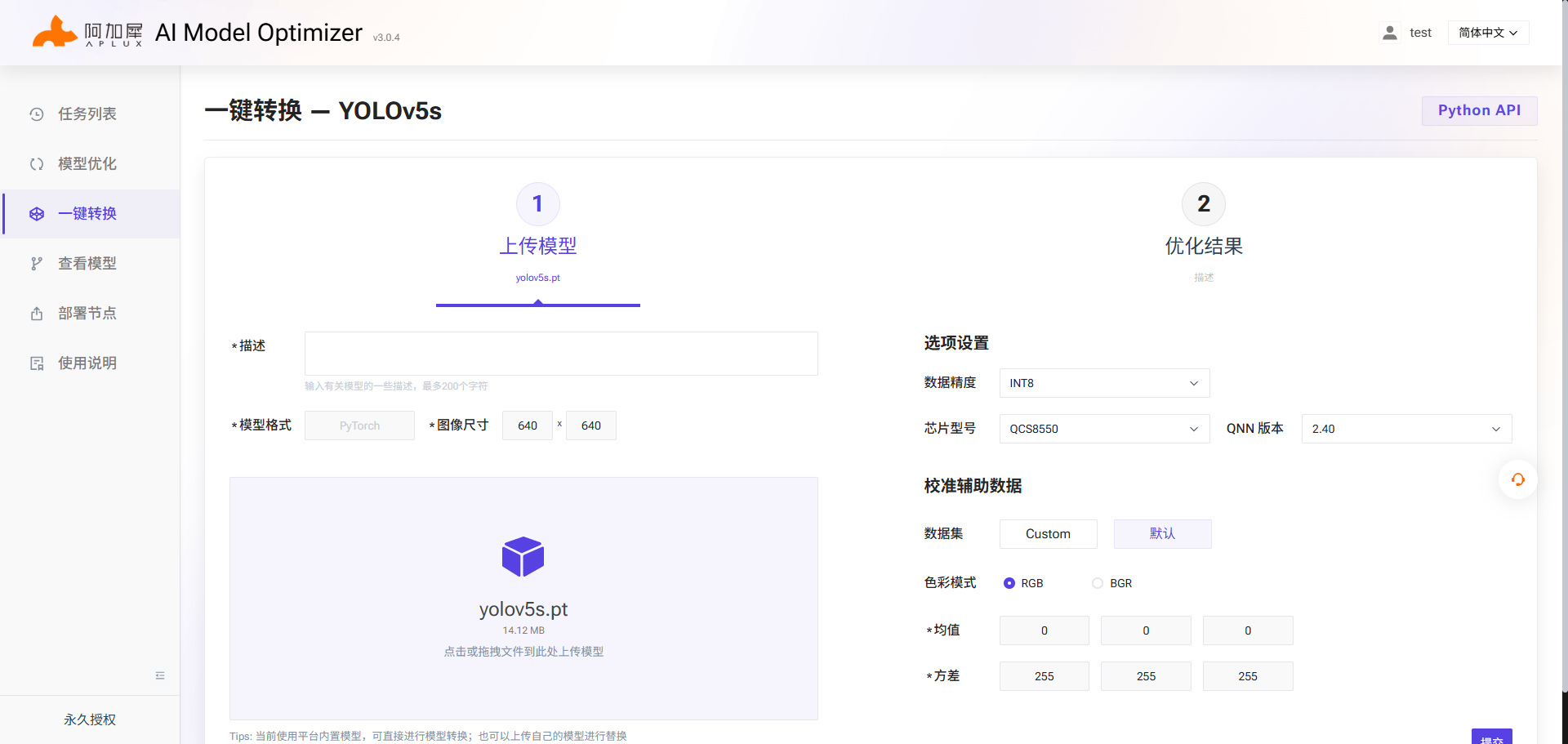
When the conversion is complete, download the model from the task list.
Inference Verification
Deploy and verify the model on Rhino Pi X1.
Get the inference code for the model
Use the Rhino Pi X1 board as the test device: power on the board and check its IP address, then visit IP:8000 in a browser to enter the AidLux desktop. Open a terminal and sign in with mms login. Run mms list yolov5s to view the available model packages.
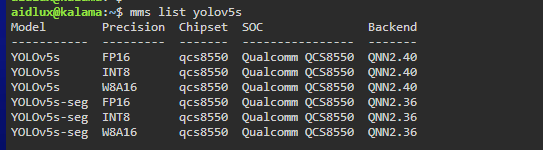
Rhino Pi X1 is a QCS8550 device, so pull the matching model package by running:
mms get -m YOLOv5s -p INT8 -c qcs8550 -b QNN2.40 -d /home/aidlux/test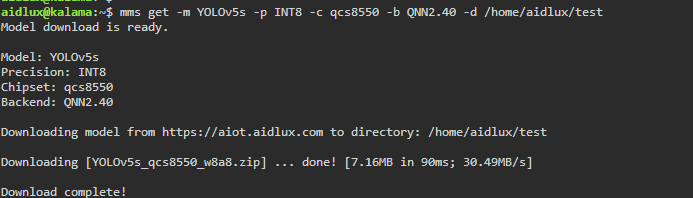
Model configuration
Go to the test directory and unzip it:
unzip YOLOv5s_qcs8550_w8a8.zip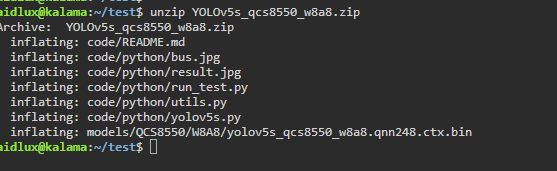
Unzip the model converted by AIMO locally and put yolov5s_qcs8550_w8a8.qnn240.ctx.bin.aidem into the /home/aidlux/test/models/QCS8550/W8A8/ path on the board.
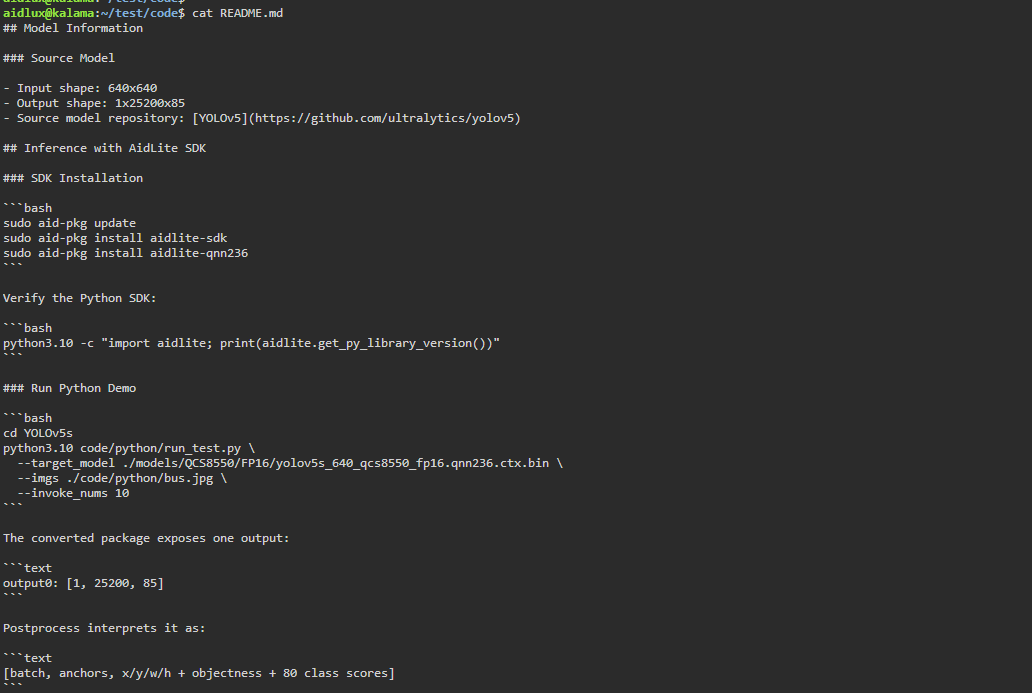
In the terminal, go to /home/aidlux/test/code and view README.md:
cat README.mdNote: The README gives example commands for FP16 / QNN 2.36, and the directory structure in its examples differs from the actual unzipped result. Use the commands in this document.
Run the command to verify inference:
python3 python/run_test.py --target_model ../models/QCS8550/W8A8/yolov5s_qcs8550_w8a8.qnn240.ctx.bin.aidem --imgs ./python/bus.jpg --invoke_nums 10
Expected result: After 10 QNN inference runs, the average inference latency is about 4.11 ms (maximum 8.49 ms, minimum 3.51 ms, variance 2.16); the model detects 5 objects in bus.jpg, and the result image is saved to code/python/result.jpg.