Edge Deployment of HY-MT1.5-1.8B
Introduction
HY-MT1.5-1.8B is version 1.5 of the Hunyuan translation model released by Tencent. As an upgraded version of the WMT25 championship model, it is optimized for explanatory translation and mixed-language scenarios, and adds support for terminology intervention, contextual translation, and formatted translation. Although HY-MT1.5-1.8B has less than one-third the parameter count of HY-MT1.5-7B, its translation performance is comparable to that of the larger model, balancing high speed with high quality. After quantization, the 1.8B model can be deployed on edge devices and supports real-time translation scenarios, offering broad application prospects.
This chapter demonstrates the deployment, loading, and translation process of HY-MT1.5-1.8B on an edge device. The following deployment method is provided:
- AidGen C++ API
In this case, large language model inference runs on the device, and the code calls relevant interfaces to receive user input and return conversation results in real time.
- Device: IQ8275
- System: Ubuntu 24.04
- Model: HY-MT1.5-1.8B
Supported Platforms
| Platform | Execution Method |
|---|---|
| IQ8275 | Ubuntu 24.04 |
Prerequisites
IQ8275 hardware
Ubuntu 24.04 system
System Dependency Configuration
Configure the AidLux Package Source
# Download the correct public key
sudo wget -O- https://archive.aidlux.com/ubuntu24/public.key | gpg --dearmor | sudo tee /etc/apt/trusted.gpg.d/private-aidlux.gpg > /dev/null

# Edit the source list file
sudo vim /etc/apt/sources.list.d/private-aidlux.list

# Add the repository provided by AidLux to the source file
deb [arch=arm64 signed-by=/etc/apt/trusted.gpg.d/private-aidlux.gpg] https://archive.aidlux.com/ubuntu24 noble main

# Update the package cache
sudo apt update
After the update is complete, you can use the following command to list the SDK dependencies officially provided by AidLux:
sudo apt list | grep aid | grep unknown# Install software
# Must be installed first because they are not included in the system by default
sudo apt install python3 python3-pip libopencv-dev python3-opencv net-tools
# Must be installed before aidlite
sudo apt install aidlux-aistack-base aidrtcm
# Install aidlite and its dependencies
sudo apt install aid-lms aidlms-sdk aidlite-sdk cmake
sudo apt-get install libfmt-dev nlohmann-json3-dev
sudo apt install aidlite-*
# Enable DSP support
sudo apt-get install qcom-fastrpc1
sudo apt-get install qcom-fastrpc-dev
# Install aidgen-sdk
sudo apt install aidgen-sdk
sudo apt install aidgen-qnn*
# Install the mms service
sudo apt install aid-mms
# Enable GPU support
sudo apt-add-repository -s ppa:ubuntu-qcom-iot/qcom-ppa
sudo apt install qcom-adreno-cl1
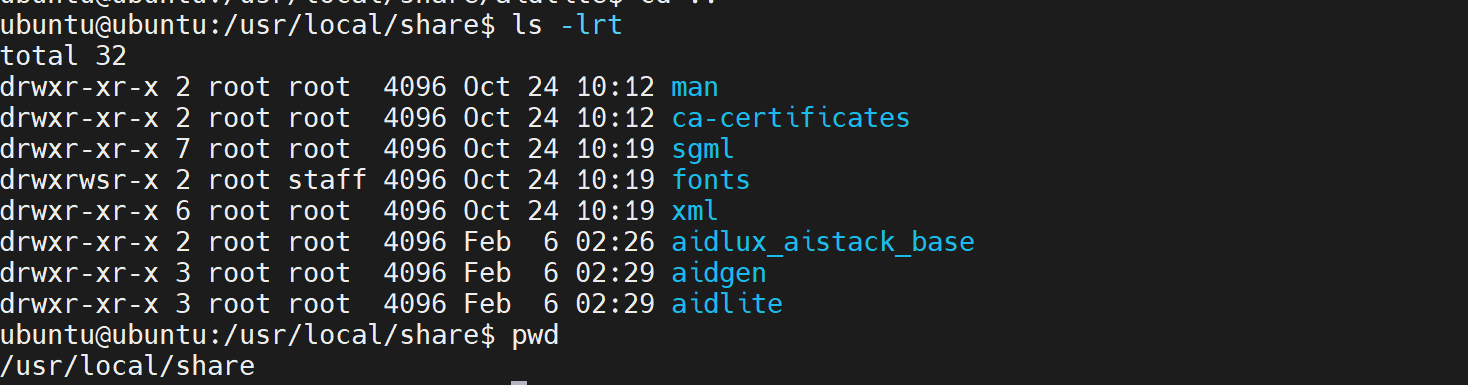
sudo ln -s /usr/lib/aarch64-linux-gnu/libOpenCL.so.1 /usr/lib/aarch64-linux-gnu/libOpenCL.soAfter the installation is complete, check that the aidlite and aidgen directories have been added under /usr/local/share.
Device Authorization
Get the Device SN
cat /sys/devices/soc0/serial_numberGet the License File
Provide the SN to APLUX technical support so that they can generate the device-specific license file. Place the generated file under /etc/opt/aidlux/license/AidLuxLics.
Activate the License
sudo /opt/aidlux/cpf/aid-lms/manager.sh restartAidGen Case Deployment
Step 1: Copy the AidGen SDK Code Example
# Copy the test code
cd /home/ubuntu/aidllm

cp -r /usr/local/share/aidgen/examples/ ./
Step 2: Download the Model Resources
Since HY-MT1.5-1.8B is currently in the Model Farm preview section, it must be retrieved via the
mmscommand.
Using mms requires a Model Farm account. Please visit Model Farm account registration
# Login
mms login

# Search for the model
mms list HY

# Download the model
mms get -m HY-MT1.5-1.8B -p w4a16 -c IQ8 -b qnn2.40 -d /home/ubuntu/aidllm/

cd /home/ubuntu/aidllm/
unzip qnn236_qcs8275_cl2048.zip
Step 3: Confirm the Resource Files
The files are distributed as follows:
/home/ubuntu/aidllm/qnn236_qcs8275_cl2048
├── hy-mt1.5-1.8b_qnn236_qcs8275_cl2048_2_of_2.serialized.bin.aidem
├── hy-mt1.5-1.8b_qnn236_qcs8275_cl2048_1_of_2.serialized.bin.aidem
├── htp_backend_ext_config.json
├── chat.txt
├── aidgen_config.json
├── aidgen_chat_template.txt
├── prefix-kvcache
Step 4: Set the Conversation Template
💡Note
Refer to the chat.txt file in the model resource package for the conversation template.
Modify the test_aidgen_t2t.cpp file according to the large model template:
std::string system_prompt =
    "<|hy_begin▁of▁sentence|><|hy_place▁holder▁no▁3|>\n"
    "<|hy_begin▁of▁sentence|>\n"
    "<|hy_User|>Translate the following segment into Chinese, without additional explanation.\n\n";
// User turn: wraps the user input and triggers assistant generation
auto make_user_turn = [](const std::string& text) -> std::string {
return text + "\n<|hy_Assistant|>";
};
Step 5: Compile and Run
cd /home/ubuntu/aidllm/examples

# Compile
mkdir build && cd build
cmake .. && make

cp test_t2t ../../qnn236_qcs8275_cl2048

cd /home/ubuntu/aidllm/qnn236_qcs8275_cl2048
./test_t2t aidgen_config.json "Success is not final, failure is not fatal: it is the courage to continue that counts. Believe in yourself and all that you are, for greatness lives within your soul."- After the model runs successfully, the following log output is displayed:
============================================================
  Turn 1: Single-turn inference
============================================================
User: Success is not final, failure is not fatal: it is the courage to continue that counts. Believe in yourself and all that you are, for greatness lives within your soul.
Assistant: [API] Generator::run(prompt, callback)
[BOS]Success is not the destination, and failure is not a fatal blow. What matters is having the courage to keep moving forward. Believe in yourself and in everything you have, because greatness truly resides deep within your soul.<|hy_place▁holder▁no▁2|>[EOS]

--- Turn 1 Performance (Generator::get_profiler) ---
  Init Time (us):           1255367
  Prompt Token Count:       53
  Time-to-First-Token (us): 72673
  Prompt TPS (tok/s):       1761.31
  Generated Token Count:    31
  Generate Time (us):       885841
  Generate TPS (tok/s):     34.995