AI Creator Visual Model Training Platform
Features
Zero-code Simplified Workflow
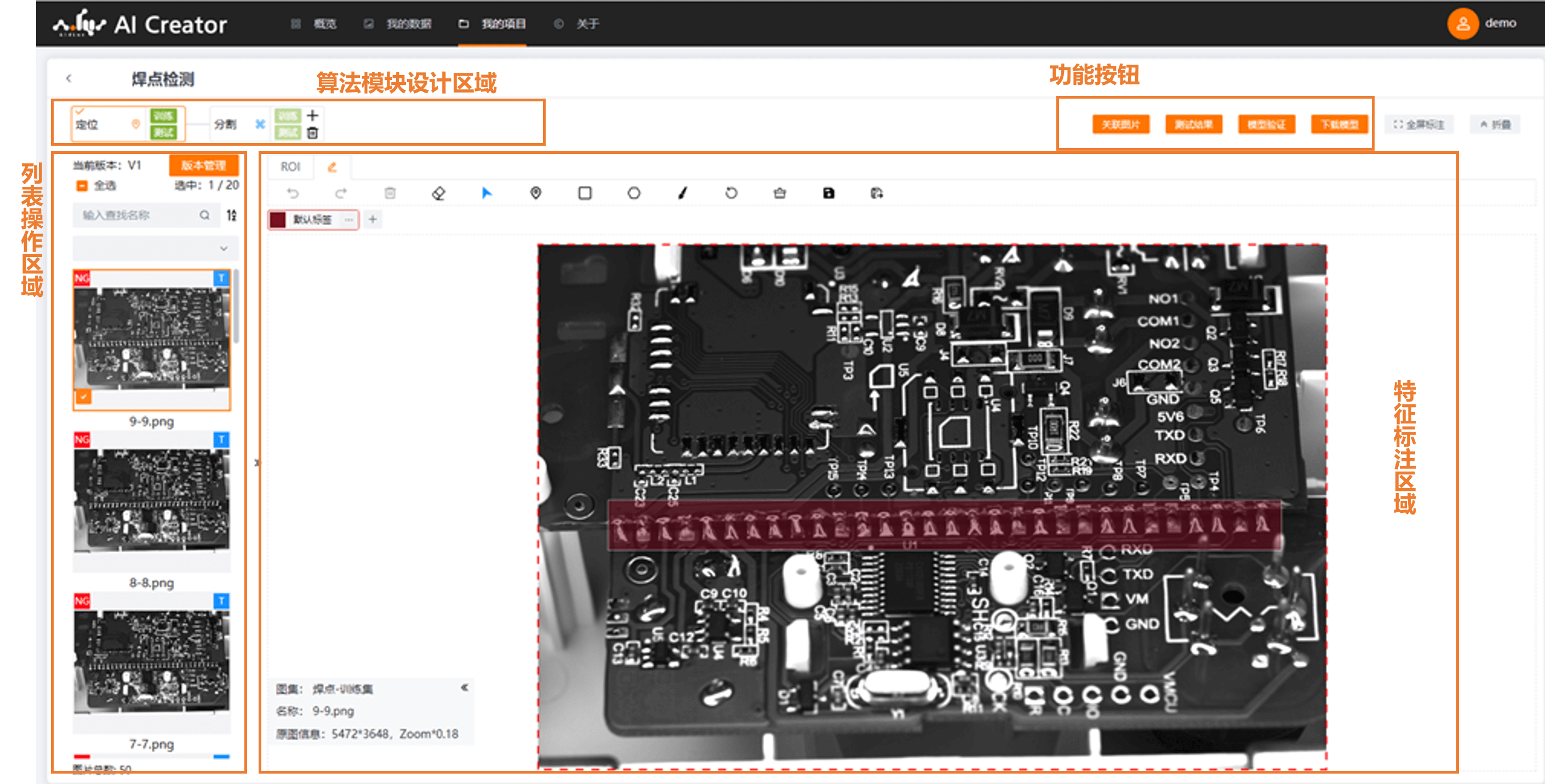
Multiple operations on one page
- The project details page supports multiple operations such as collaborative algorithm module design, data association, annotation import, annotation, model training and testing, model performance validation, and model download.
- The core model training workflow is completed on a single page, minimizing page jumps and improving user experience.
Data Management
Unified data management for use across projects
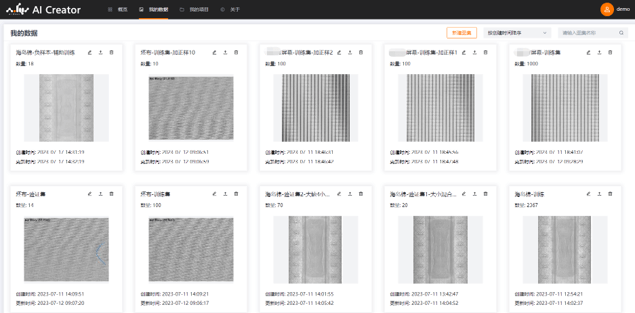
- Data is managed by account, and image sets can be associated with multiple projects.
- Image sets are presented as cards, allowing the list page to display more useful information.
Multiple Built-in Algorithms
Multiple built-in algorithm modules with flexible combinations
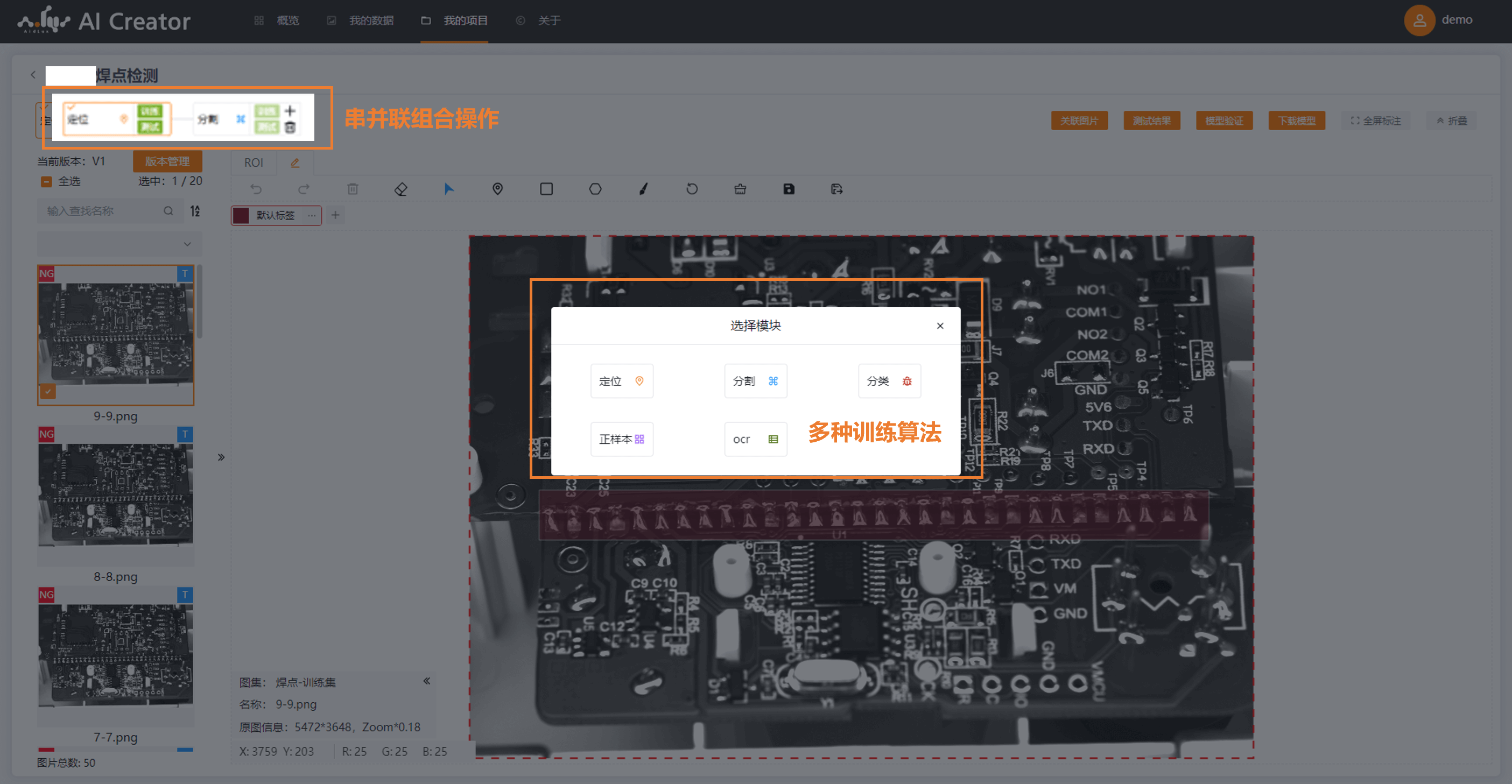
- Supports multiple training algorithms such as localization, segmentation, classification, positive samples, OCR, and object detection, with continuous enrichment and improvement.
- Supports combining algorithm modules in series or in parallel to design model training approaches for different scenarios.
- The output of a preceding module serves as the input of the following module, progressively presenting model training performance and making problems in model training clear at a glance.
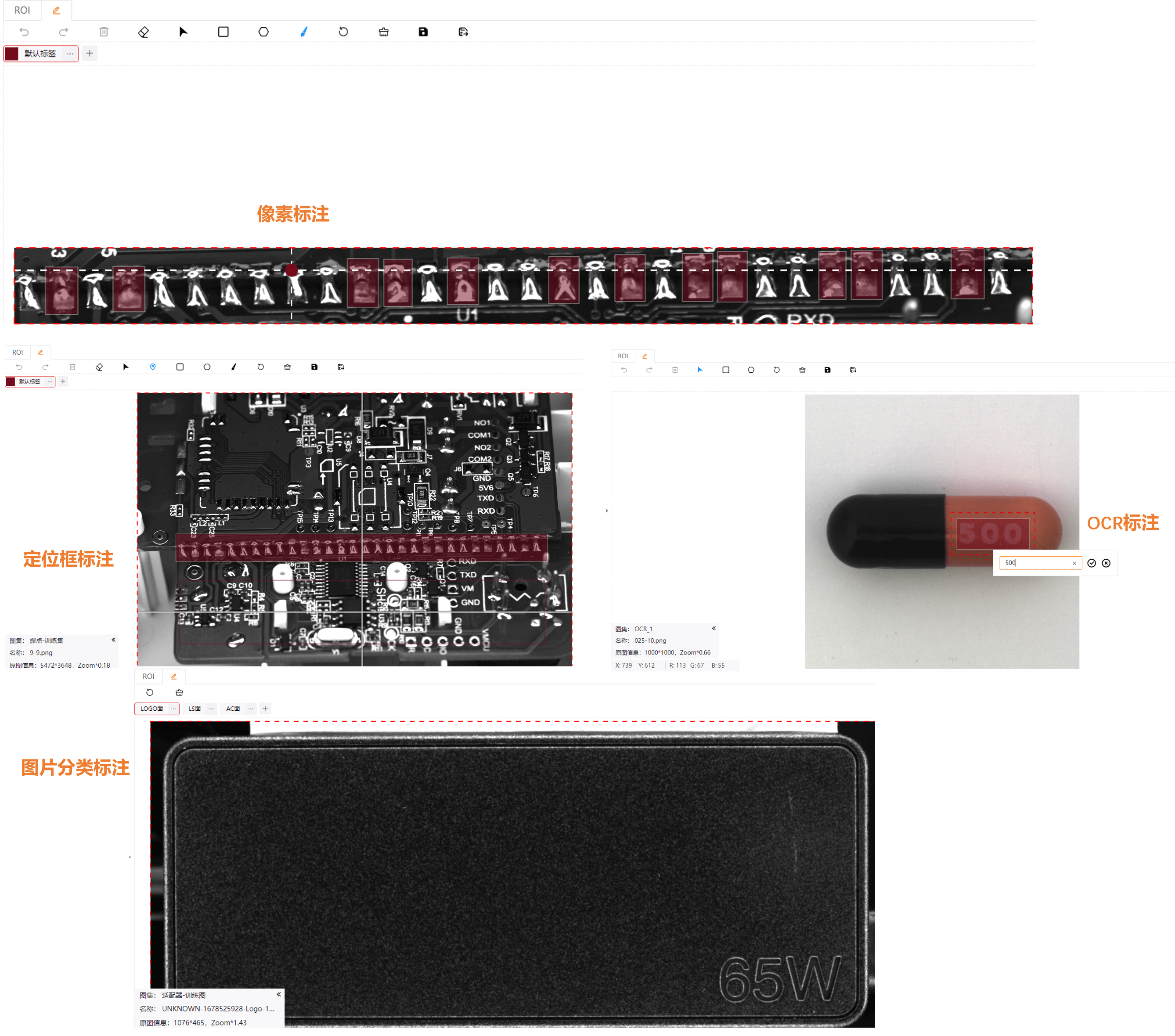
Pixel-level Online Annotation
More targeted with a better interactive experience
Optimized annotation operations for greatly improved fluency.
Annotation features are customized for different algorithm modules:
Localization: bounding box annotation
Segmentation: polygon annotation (json), brush annotation (pixels)
Classification: image annotation
OCR: polygon + text box input
Supports importing annotation data from common annotation tools such as Labelme and Pixel Annotation.
Optimized image loading: compared with the previous version, loading time for large-size original images is reduced by more than 50%.
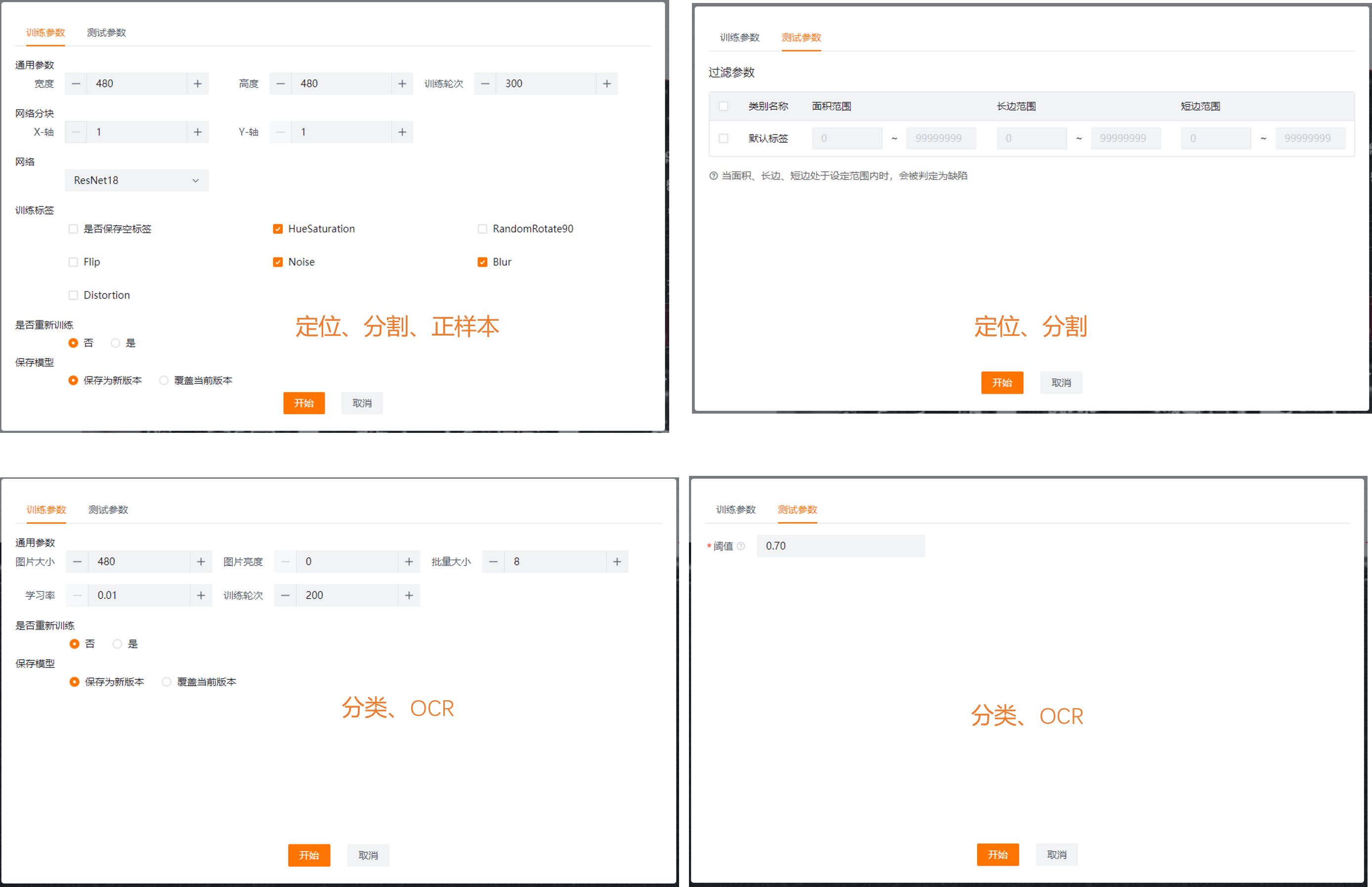
Parameter Diversity
More parameters for significantly improved model training performance
- Training parameters and test parameters are configured separately, allowing multi-dimensional tuning of training results.
- Different algorithm modules have different parameter items.
- More advanced parameters are continuously added.
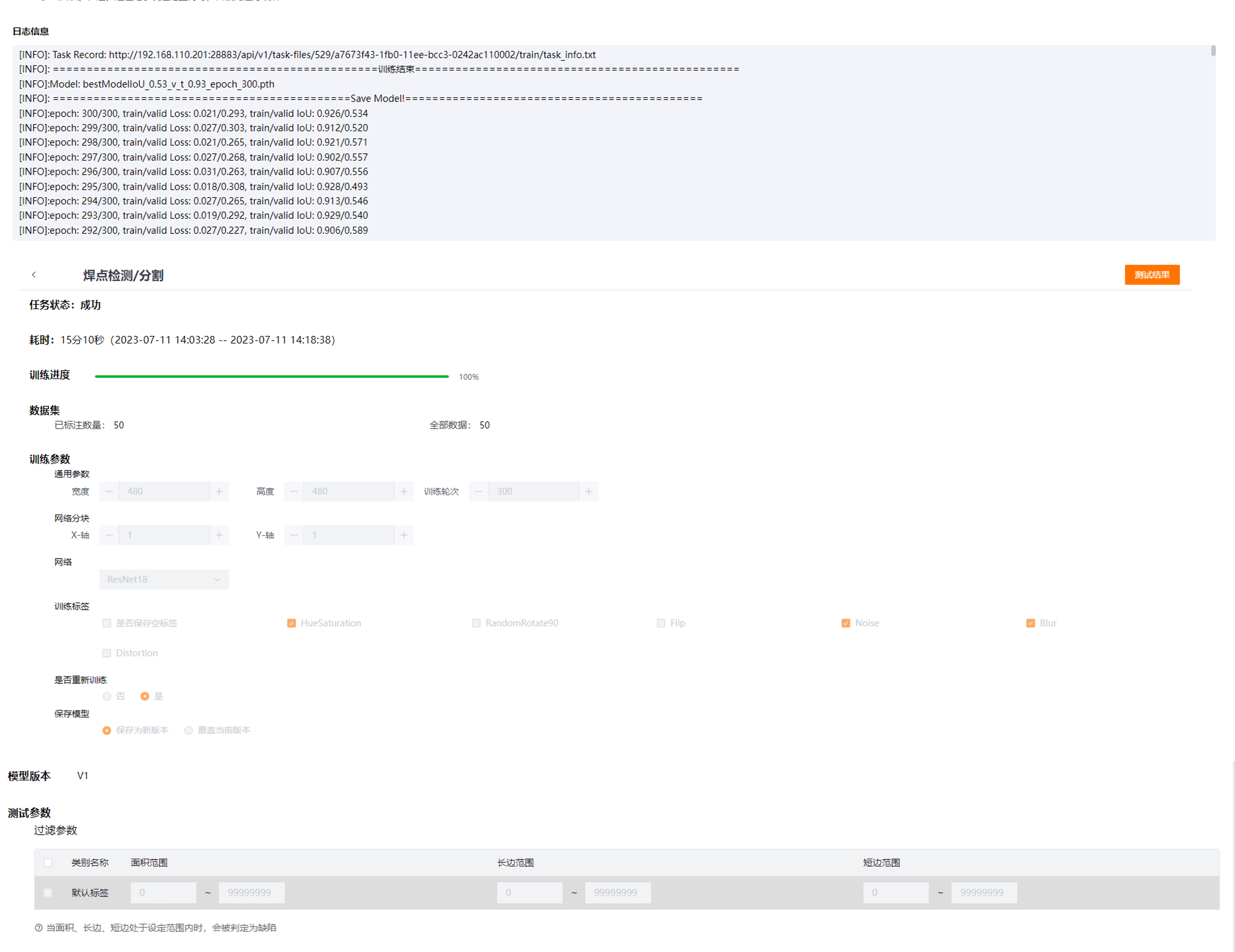
Visualized Training Process
Training progress and model metrics at a glance
- Model logs are printed in real time and can be exported for locating detailed issues.
- Training is automatically terminated when the model converges well and metrics are excellent, saving resources and time.
- Manually terminating training also saves the best model, making training flexible and controllable.
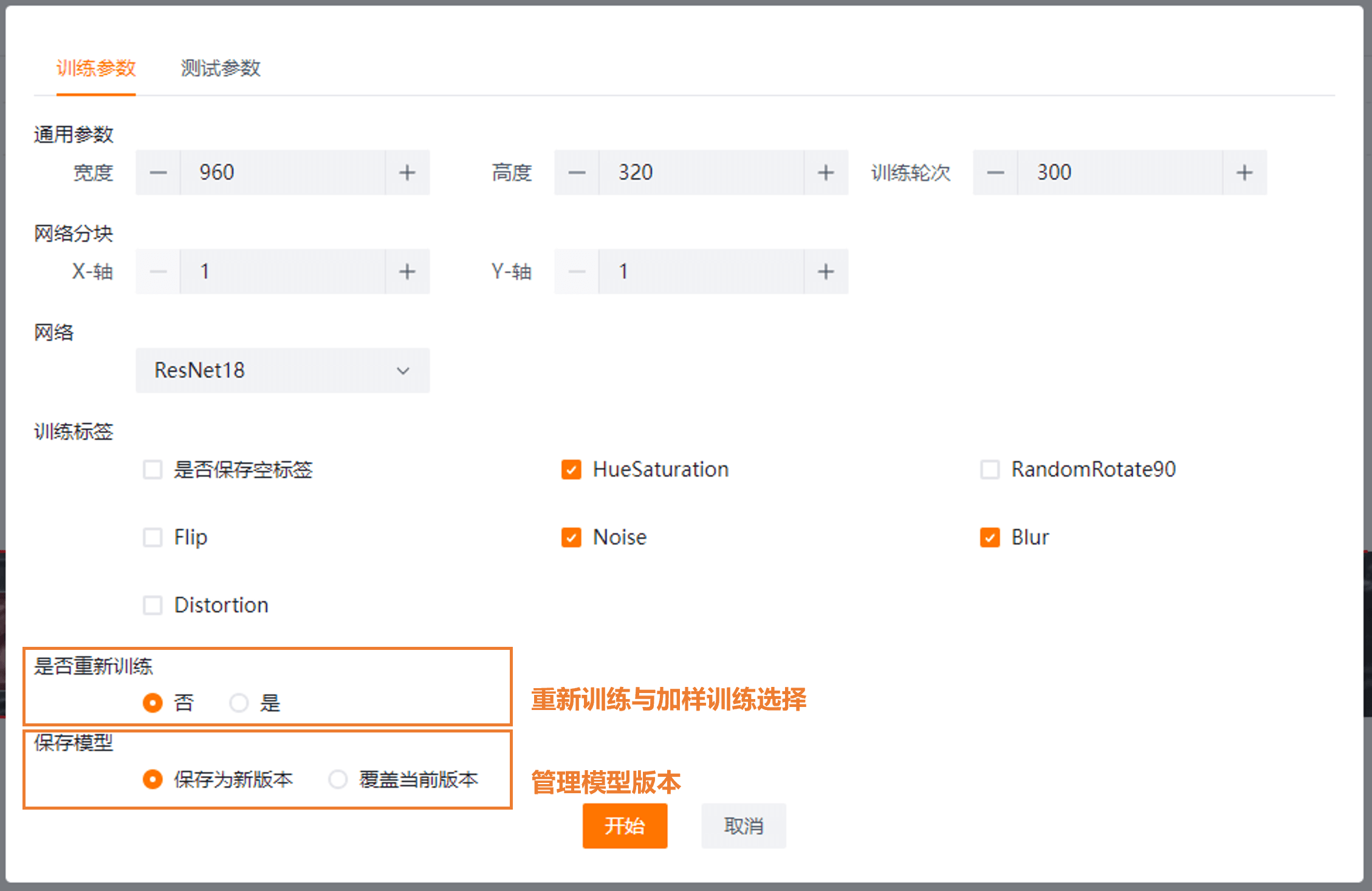
Incremental Training Support
Model version management with flexible incremental and retraining configuration
- When the model changes slightly and only a few features need to be recognized, incremental training can be selected to save training time and resources while ensuring model stability.
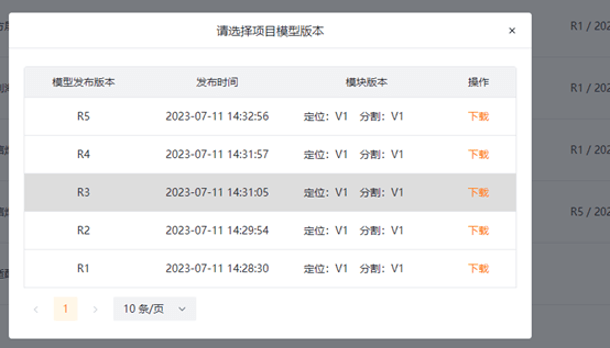
- The model saving method is configurable and versions can be traced. When the effect of a new model is uncertain, the new and old models can be compared for validation.
Friendly Display Page
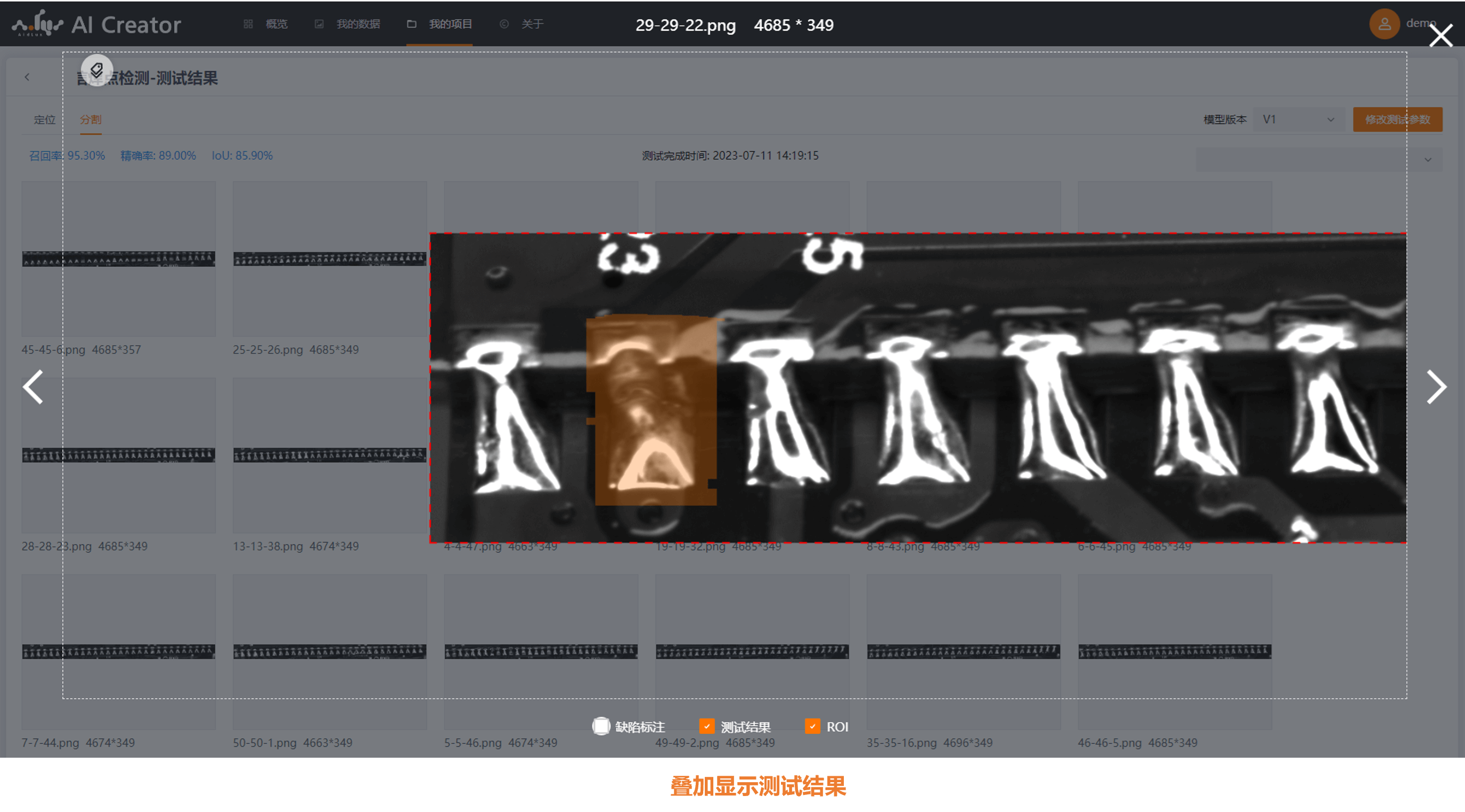
Annotation and test results displayed in overlay
- Independently control whether annotation information, test results, and ROI are displayed.
- Overlay display on the original image precisely compares differences between defects and inference results, making detailed issues easier to spot.
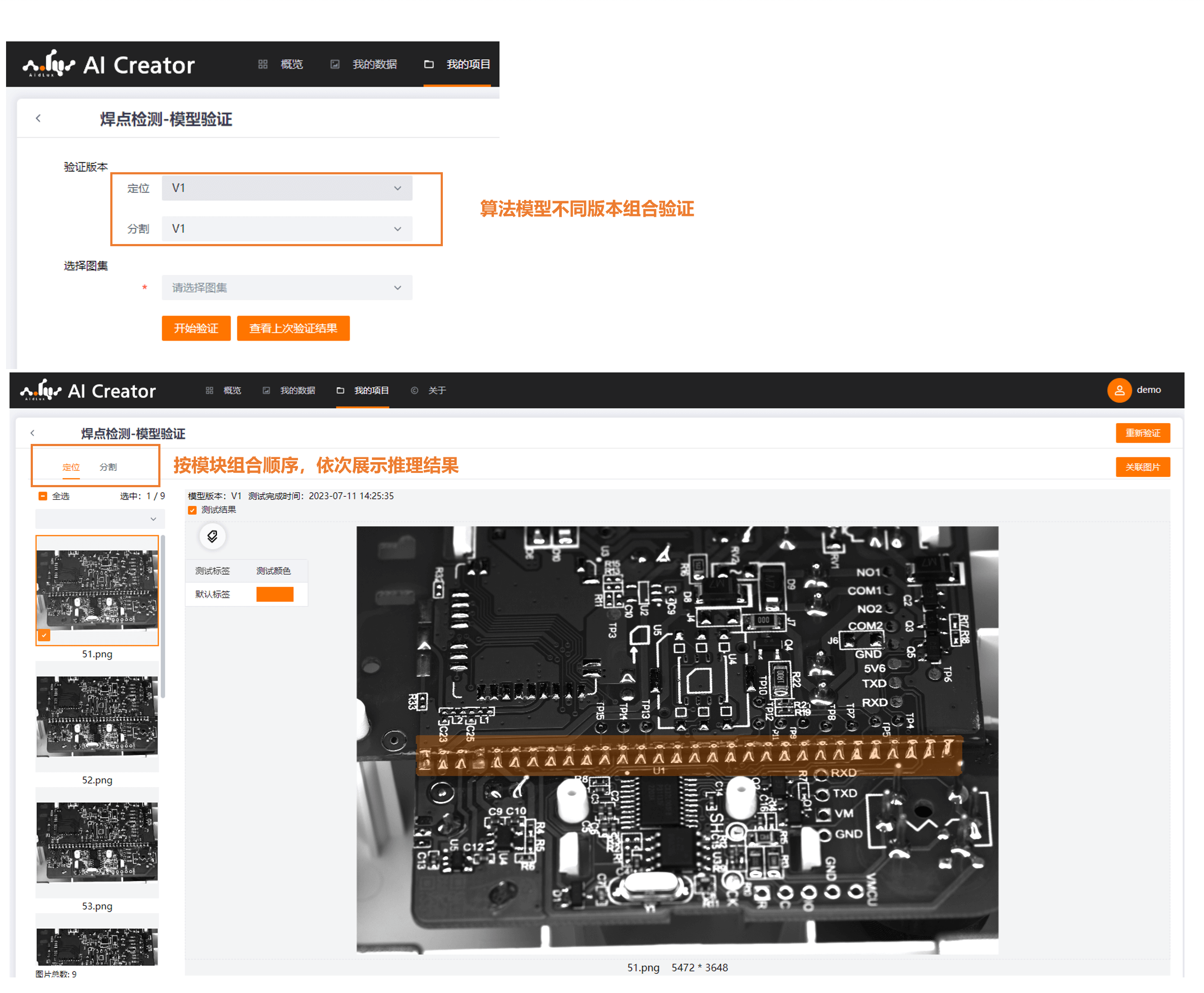
Model Validation
- Select different module versions to combine and validate model performance.
- Overlay inference results on the original image.
- Associate images to model training data with one click.
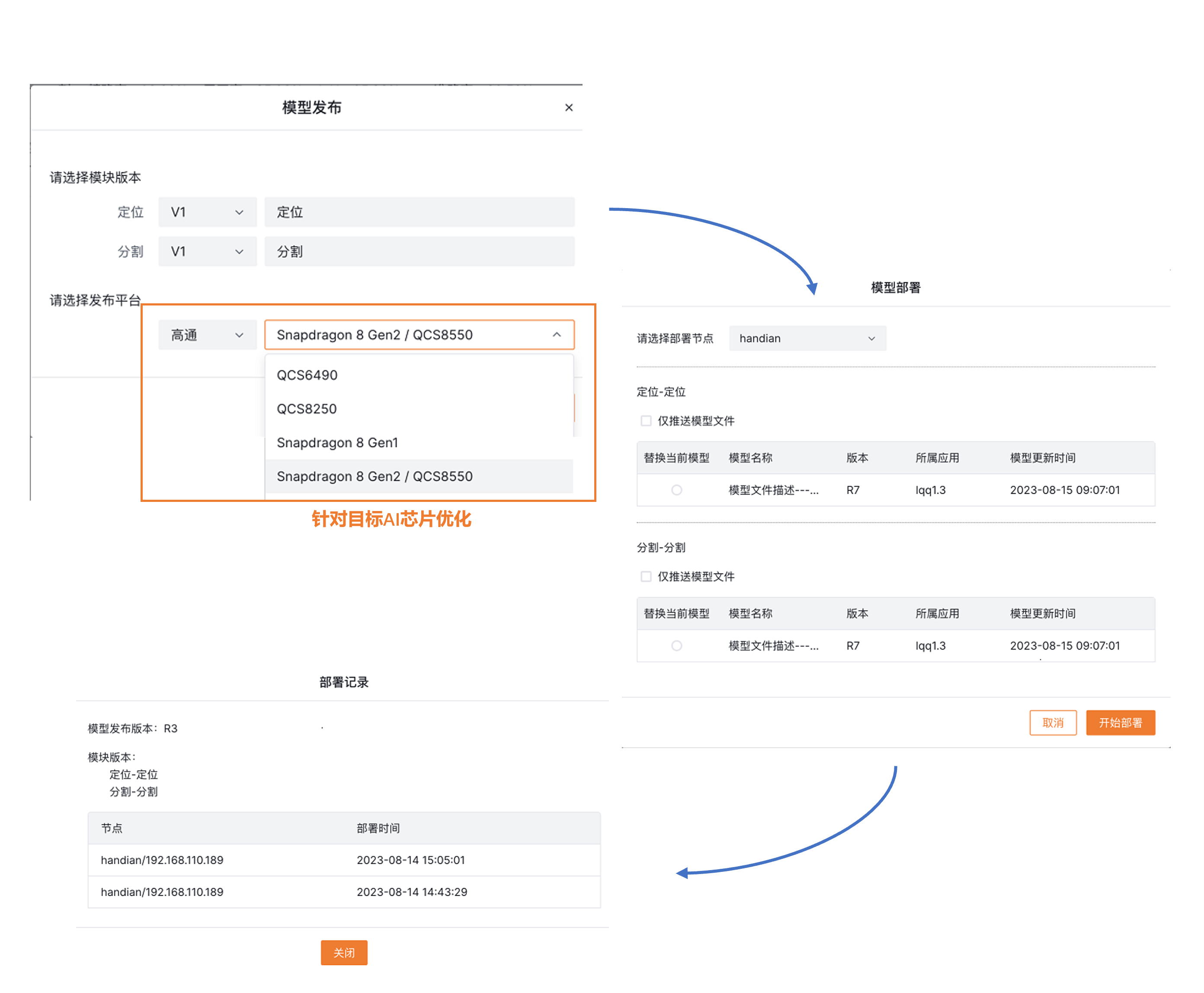
Remote Deployment Support
- After model validation passes, the model can be published and deployed remotely.
- During model publishing, you can select the target platform AI chip for targeted optimization, fully leveraging the computing performance of the target AI chip. Multiple Qualcomm AI chip models are currently supported.
- In the list of integrated deployment nodes, select the target node to complete one-click remote deployment.
Model Download
- Default download in PyTorch format (.pth).
- Supports downloading models in vendor-specific formats for edge AI chips, such as Qualcomm DLC / QNN format (selected during model publishing).
- Supports packaging and downloading models combined from multiple algorithm module versions.