Model Farm Pro User Guide
Introduction
Model Farm actively adapts cutting-edge and popular AI models. To give developers early access to our model release plans and performance parameters, we have launched Model Farm Pro.
Model Farm Pro follows the same usage methods and interface interactions as Model Farm. Developers can quickly view the performance metrics of models scheduled for release or get support by Contacting Aplux to obtain early access to model files and inference code.
💡Note
Model Farm Pro is intended only for viewing model adaptation status and performance parameters. Models cannot be directly downloaded for general use until they are officially released on the main Model Farm platform.
Quick Start
Model Farm Pro is used to showcase performance parameters in advance and does not support direct web downloads. Therefore, developers can access all information on this page without logging in.
Accessing Model Farm Pro
Developers can access the interface directly via this link: Model Farm Pro
Alternatively, you can enter the Pro interface through the Model Farm navigation:
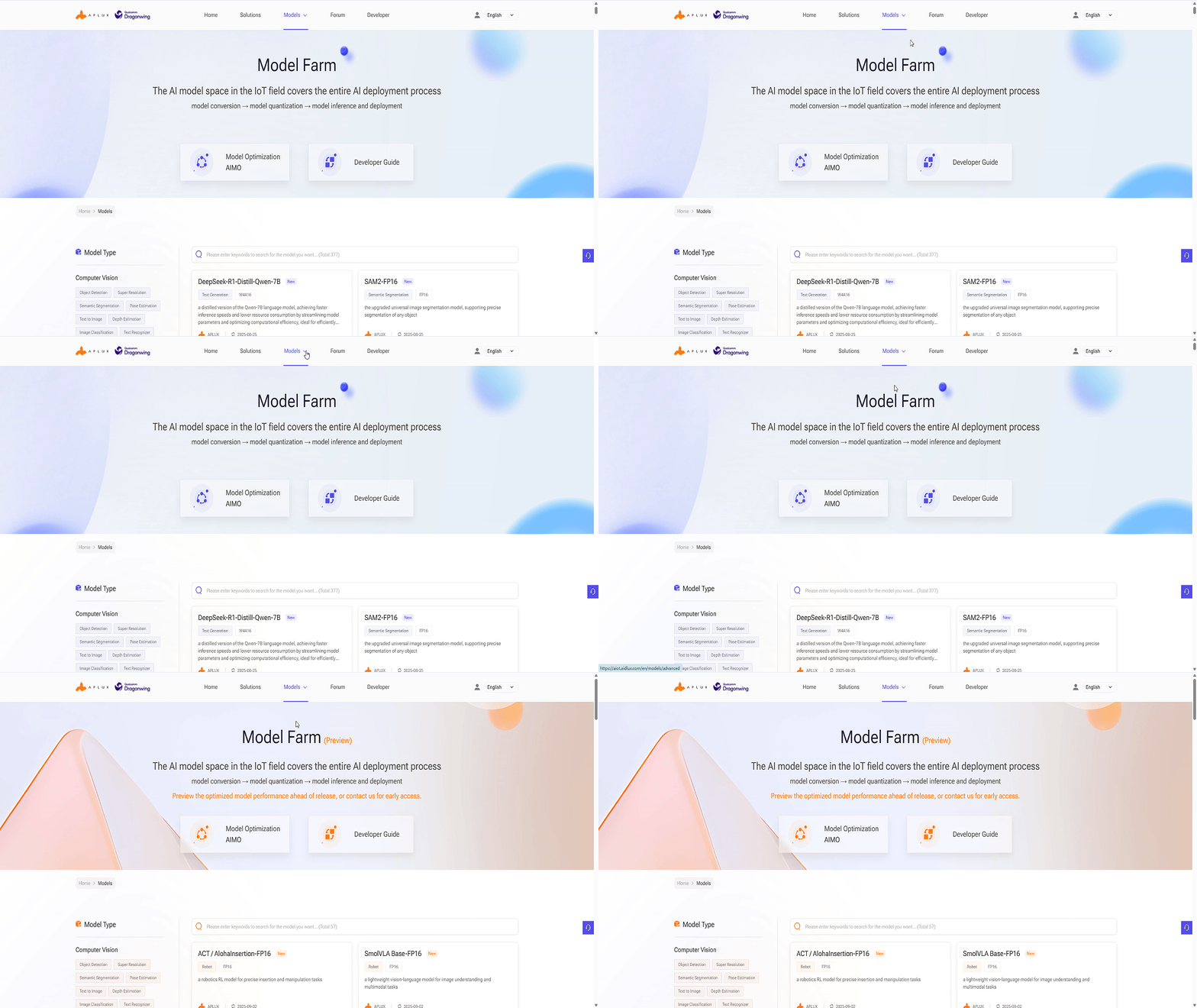
Viewing Models
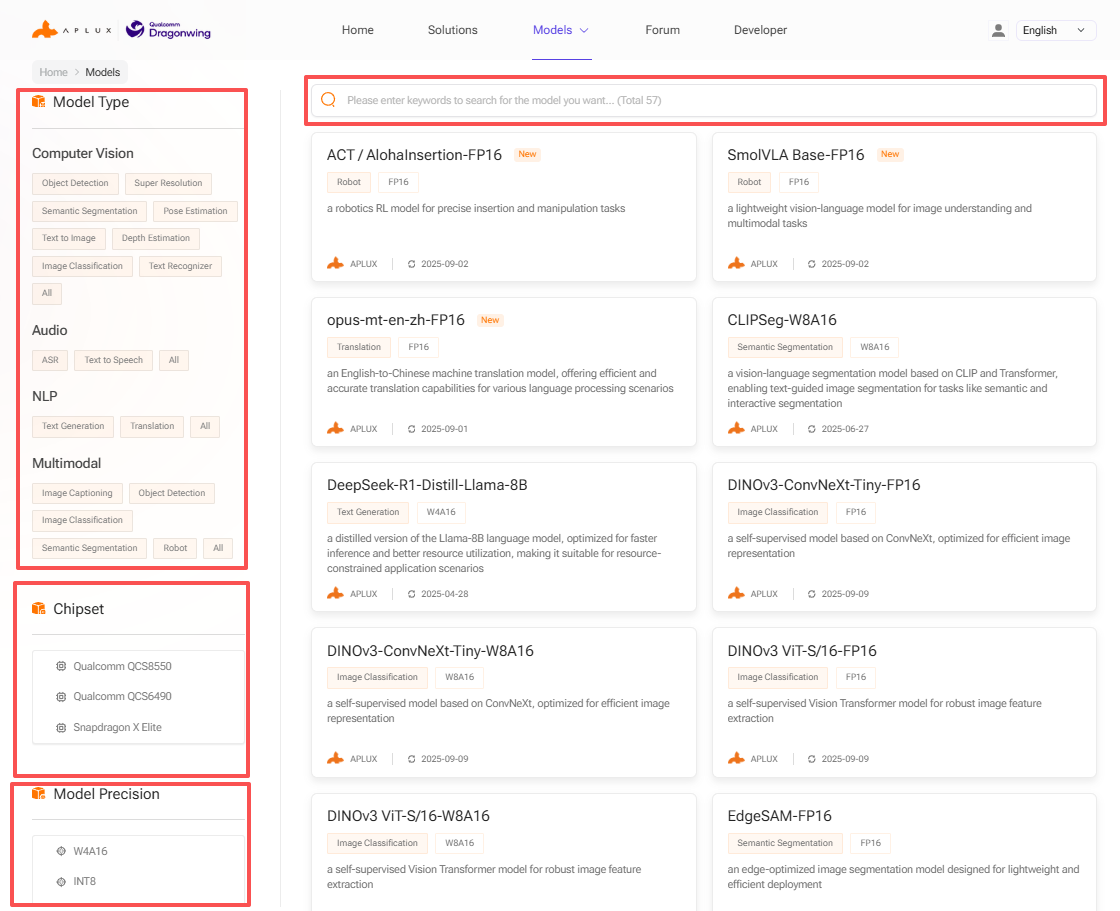
Developers can search for models on Model Farm Pro according to their needs to understand detailed specifications and perform quick evaluations.
Model Farm Pro provides multiple ways to filter and find models:
- Filter by model type
- Filter by model data precision
- Filter by chip platform
- Keyword search
Model Performance Reference
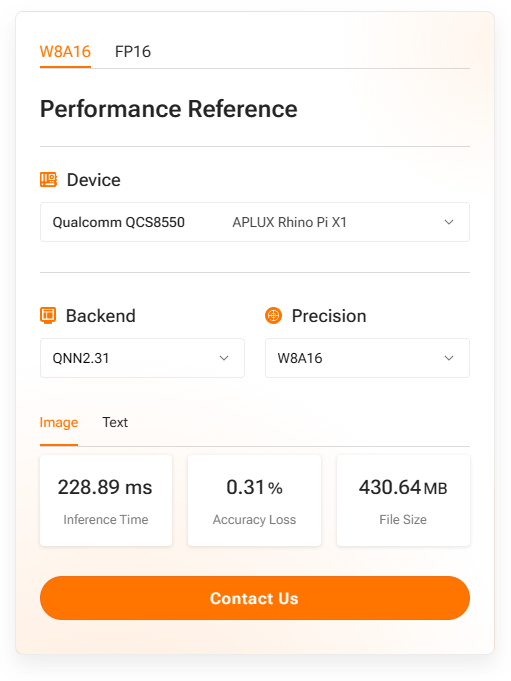
The model details page in Model Farm Pro provides measured performance of AI models on specific hardware:
- Device: The development board and chip model used for testing.
- AI Framework: The framework and version used for conversion and inference.
- Data Precision: The data precision of the converted model.
- Inference Latency: Measured execution time, excluding pre- and post-processing.
- Accuracy Loss: Cosine similarity of the output matrix between the source model (FP32) and the converted model.
- Model Size: The file size of the converted model.
💡Note
For the same SoC, model performance may vary across different hardware specifications; these figures serve as a reference only.
Example of SigLIP-so400m on Rhino Pi-X1 (Qualcomm QCS8550):
Obtaining Model Files and Code for Pro Models
Models in the Pro section of Model Farm do not support direct web downloads. Developers can download these models on Aplux hardware using the mms command. For details, please refer to: Quick Start with MMS